
Home security cameras have become one of the most popular ways to improve awareness around a property. They can help homeowners see who is at the door, monitor outdoor areas, check activity while away, review recorded events, and receive alerts when movement is detected. But with so many options available, choosing the right camera can feel overwhelming. The best security camera is not always the one with the most features. It is the one that solves your specific security needs.
This guide helps you choose a camera. For where to mount it once you have one, see Where to Install Security Cameras.
What’s In This Guide
- Decide What You Want the Camera to Do
- Indoor vs Outdoor Security Cameras
- Video Quality Matters
- Consider Night Vision
- Think About Storage Options
- Understand Subscription Costs
- Check Smart Features
- Consider Installation Requirements
- Choose Camera Placement Carefully
- Protect Your Camera Account
- Respect Privacy
- Doorbell Cameras vs Traditional Cameras
- Motion Alerts and Two-Way Audio
- Common Security Camera Mistakes
- Home Security Camera Buying Checklist
Quick Picks: How to Choose a Home Security Camera
Best overall type: A camera that saves video to a memory card or home hub, with optional cloud storage, powered by a wire or a rechargeable battery you can swap. It keeps working if your internet drops and does not lock every feature behind a monthly fee.
Best budget choice: One good camera on the door people actually use, usually the front door, instead of a big multi-camera kit. Add more only after you learn where you really need them.
Best when you travel often: A camera with phone alerts, a light on a timer, and a trusted neighbor. Protect the camera app account with two-step login so no one else can watch your feed. See also best places to install cameras and cameras versus a full security system.
What to avoid
- No-name cameras that never get security updates, or that ship with a password you cannot change.
- Pointing a camera at a neighbor’s window or another private space. It can create legal and privacy problems.
- Relying on a fake camera alone. Some thieves can tell.
- Buying before you check the monthly cost of saved video history.
What to look for before buying
- Video quality good enough to recognize a face at the distance of your door.
- Night vision and a weather rating if it will live outdoors.
- Local storage versus cloud storage, and what the cloud plan costs each month.
- Two-step login for the app.
- A company that publishes security updates.
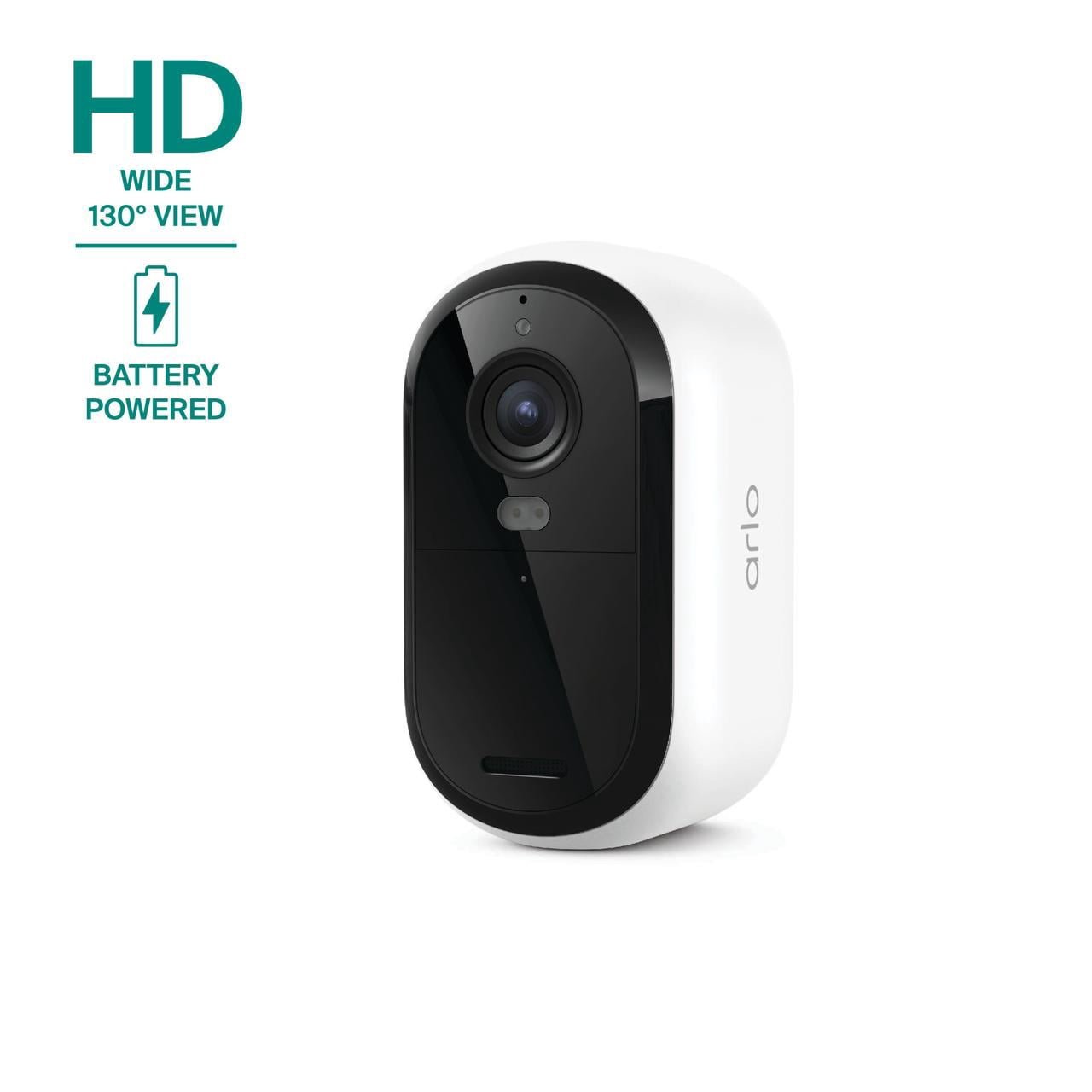
ONE OUTDOOR CAMERA TO COMPARE
Arlo Essential Security Camera 1080p HD (3rd Gen, 2025 Release)
A wire-free, battery-powered outdoor camera. The Walmart listing describes 1080p video, color night vision, people, vehicle, package and animal detection, two-way audio and a built-in siren. It connects to both 2.4GHz and 5GHz Wi-Fi.
Before you buy: saved video and some smart alerts may need a paid Arlo subscription, so check what is included on the store page. Walmart listed this camera at $38.97 online on September 20, 2026, and shoppers rated it 4.1 out of 5 stars from 1,055 ratings.
See it at Walmart →This is an affiliate link, so we may earn a commission at no extra cost to you.
1. Decide What You Want the Camera to Do
Before buying a camera, ask: “What problem am I trying to solve?” Common reasons homeowners install cameras include:
- Monitoring a front door
- Watching a driveway
- Protecting outdoor areas
- Checking deliveries
- Improving visibility around the home
Your goal should determine your camera choice.
2. Indoor vs Outdoor Security Cameras
Security cameras are designed differently depending on where they are used.
Indoor Cameras
Indoor cameras can help monitor:
- Living areas
- Entry points
- Specific rooms
- Pets
- Family activity
Important considerations include privacy, placement, and camera controls.
Outdoor Cameras
Outdoor cameras need to handle environmental conditions. Consider:
- Weather resistance
- Night visibility
- Mounting location
- Power source
A camera designed for indoor use may not be suitable outdoors.
3. Video Quality Matters
Clear video is important because the purpose of a camera is to provide useful information. Consider:
- Resolution
- Image clarity
- Night vision quality
- Field of view
Higher specifications do not always guarantee better real-world performance. Placement and lighting also matter.
4. Consider Night Vision
Many security events happen when lighting is limited. Look for features such as:
- Low-light performance
- Infrared night vision
- Color night vision options
- Motion-activated lighting
A camera should provide useful images in the conditions where you plan to use it.
5. Think About Storage Options
Security cameras usually store footage in one of several ways.
Local Storage
Footage is saved on a device you control. Possible benefits: more direct control, and no ongoing cloud storage fees in some setups.
Cloud Storage
Footage is stored online. Possible benefits: remote access, easier backup, and access from multiple devices.
Storage choices depend on your preferences and budget.
6. Understand Subscription Costs
Some cameras offer basic features without a monthly fee. Others charge for:
- Cloud storage
- Advanced alerts
- Longer video history
- Additional features
7. Check Smart Features
Modern security cameras may include features such as:
- Motion alerts
- Mobile notifications
- Two-way communication
- Person detection
- Smart home integration
Think about which features you will actually use. More features do not always mean better security.
8. Consider Installation Requirements
Security cameras can have different installation needs. Options may include:
- Battery-powered cameras
- Plug-in cameras
- Wired systems
- Professionally installed systems
Consider location, power availability, maintenance, and ease of adjustment. The best camera is one that stays working.
9. Choose Camera Placement Carefully
A good camera in the wrong location may provide limited value. Consider monitoring:
- Main entrances
- Driveways
- Walkways
- Areas where deliveries occur
- Important outdoor spaces
Avoid placing cameras where they cannot provide useful coverage.
10. Protect Your Camera Account
Security cameras are connected devices. Protect your account with:
- Strong passwords
- Two-factor authentication when available
- Updated software
- Secure Wi-Fi practices
Your camera protects your home, so protect access to the camera itself.
11. Respect Privacy
Security cameras should be used responsibly. Consider:
- Where cameras are pointed
- Who can access recordings
- How footage is stored
- Privacy expectations of household members and neighbors
Good security balances awareness with respect.
12. Doorbell Cameras vs Traditional Cameras
A video doorbell and a security camera serve different purposes.
Video Doorbells
Useful for front-door activity, package monitoring, and visitor awareness.
Traditional Cameras
Useful for wider property coverage, driveways, side yards, and outdoor areas.
Many homeowners use a combination.
13. Motion Alerts and Two-Way Audio
Two everyday features make a bigger difference than most spec sheets suggest.
Motion detection zones. Without them, your phone buzzes every time a tree moves or a car drives past. Look for a camera that lets you draw detection zones (for example, just your walkway and porch) and, ideally, tell people apart from cars and animals. Fewer false alerts means you actually look when one arrives.
Two-way audio. A built-in microphone and speaker let you talk through the camera from your phone: tell a delivery driver where to leave a package, ask a visitor to wait, or warn someone away. It doesn’t replace a monitored security service, but it’s useful every week.
Don’t pay for features you won’t use. Spotlights, sirens, facial recognition and 4K video all add cost. Decide what the camera needs to do first, then buy only the features that serve that job.
Common Security Camera Mistakes
Mistake #1: Buying Before Planning Placement
More cameras do not always equal better coverage.
Mistake #2: Ignoring Internet Requirements
Many smart cameras depend on reliable connectivity.
Mistake #3: Forgetting Maintenance
Check batteries, connections, camera angles, and software updates.
Mistake #4: Focusing Only on Technology
A camera is one layer of security. It works best with good lighting, strong locks, and smart habits.
Home Security Camera Buying Checklist
Before purchasing:
- Identify your security goal
- Decide indoor or outdoor use
- Review video quality
- Check night vision
- Understand storage options
- Review subscription costs
- Confirm installation needs
- Protect your account
- Choose proper placement
- Review privacy settings
Final Thoughts
A home security camera can be a valuable tool for improving awareness. But the right choice depends on your home, your needs, and your lifestyle.
Before buying: know what you want to monitor, choose features that solve real problems, understand ongoing costs, install it properly, and use it responsibly.
The goal is not simply to own a camera. The goal is to create a safer, more informed home.
Secure4Peace — Smart Security. Safer Living. Peace of Mind.
Official sources and further reading
Links checked September 23, 2026. We rely on official guidance like this for safety and security advice. How we research.
Home Security Guide Series
Each guide answers one question. Pick the one that matches yours.
Start here
- Home Security Checklist — a 25-point walk-through of your own home
- How to Protect Your Home from Break-Ins — the overview: how the layers of protection fit together
- 10 Things Burglars Look For — see your home the way a burglar does
Doors and entry points
- Secure Your Front Door — reinforce the door, frame, hinges and strike plate
- Best Door Locks — choosing the lock itself
- Garage Security — the entry point most people forget
Cameras
- Best Home Security Cameras (you are here) — which features matter before you buy
- Where to Install Security Cameras — placement, spot by spot
Systems and smart home
- Security System vs. Cameras — which one you actually need first
- Is Smart Home Security Worth It? — costs, subscriptions and privacy trade-offs
- Home Security Devices Worth Buying — the short list of devices that earn their place
- Secure Your Home Wi-Fi — protect the network your devices run on
Your situation
- Apartment Security — renter-friendly upgrades
- Protecting Your Home While Traveling — before and during a trip
- Home Safety for Families — a safer home for kids and relatives
- Holiday Safety Guide 2026 — deliveries, travel and seasonal scams